Q&A
Q: How do I switch between different speed and mileage displays?
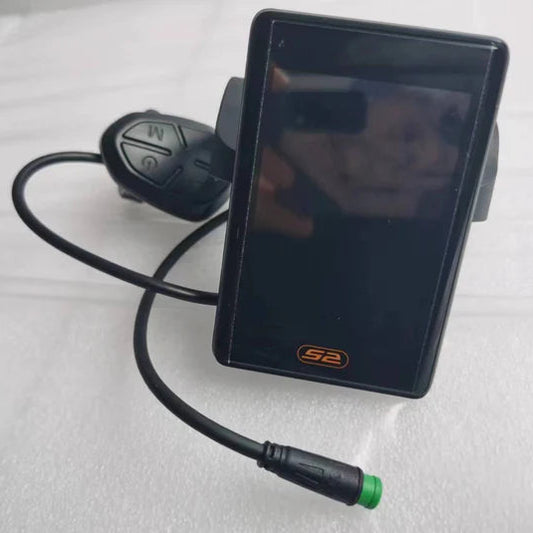
A: After powering on the LCD meter, it displays the real-time speed (km/h) and total mileage (DOD) by default. To switch between total mileage (DOD), single mileage (TRIP), maximum speed (MAX), and average speed (AVG), simply short press the 1 key.
Q: How do I change the power mode of my electric bicycle?
A: You can switch between power modes by short pressing the + or - key. The available modes include Pure Electric Mode (PAS 1-5), Power-Assist Mode (PAS 1-5), and Riding Mode (PAS 0), where the motor does not intervene.
Q: What should I do if the LCD meter displays an error code?
A: If the electric control system fails, the LCD meter will automatically display an error code. Refer to the error code table for definitions:
- 00: Normal status
- 08: Turning handle failure
- 06: Battery undervoltage
- 09: Controller failure
- 12: Motor failure
- 07: Communication fault
- 10: Output fault
Q: How do I adjust the LCD meter’s backlight brightness?
A: The LCD backlight dims automatically when the headlights are turned on and returns to brightness when the headlights are turned off. No manual adjustment is required.
Q: How do I set personalized parameters on the LCD meter?
A: To set personalized parameters:
- Ensure the bicycle is powered on and the display speed is 0.
- Short press the
1key to enter the parameter setting interface. - Adjust settings such as speed limit (P1), wheel diameter (P5), drive mode (P8), and battery undervoltage (PD).
- Short press the
1key again to save changes and return to the normal display interface.
Q: How do I activate and cancel the battery life mode?
A: To activate the battery life mode, press and hold the - or < key. To cancel this mode, press the brake or the same key again. In this mode, the screen displays the remaining battery life.
Display Manual
Part 1: LCD Meter Functional Area Distribution
The LCD meter displays the following functions:
- Power Display: Shows battery power.
- Headlight Indication: Indicates when the headlights are on.
- Boost/Cruise Indicator: Displays boost or cruise mode status.
- Speed Display: Shows current speed in km/h or mph.
- Fault Diagnosis: Displays error codes when a fault occurs.
-
E-Bike Modes:
- Pure Electric Mode (PAS 1-5): Operates using the accelerator handle.
- Power-Assist Mode (PAS 1-5): Provides pedal assistance.
- Riding Mode (PAS 0): Pure riding mode without motor intervention.
-
Drive Modes:
- Front Drive (SINGLE/F): Only the front wheel is driven.
- Rear Drive (SINGLE/B): Only the rear wheel is driven.
- Dual Drive (DUAL): Both front and rear wheels are driven simultaneously.
-
Mileage and Speed Information:
- Total Mileage (DOD): Displays the total distance traveled.
- Single Mileage (TRIP): Displays the distance for the current trip.
- Maximum Speed (MAX): Shows the highest speed achieved.
- Average Speed (AVG): Displays the average speed.
Part 2: LCD Meter Key Guide
- Horn Button: Activates the horn.
- Backlight Dimming: The LCD backlight dims when the headlights are on and returns to brightness when they are off.
-
Electric Assist Push Mode: Press and hold the
/<button to enter this mode. The bike travels at an average speed of 6 km/h. -
Key Operations:
- Short Press: Switches between total mileage (DOD), single mileage (TRIP), maximum speed (MAX), and average speed (AVG).
- Long Press: Enters battery life mode or cancels the electric assist push mode.
-
Error Codes: The LCD meter displays error codes for faults. Common error codes include:
- 001: Controller error.
- 002: Brake lever malfunction.
- 003: Motor phase loss.
- 004: Throttle handle malfunction.
- 005: PAS fault.
- 006: Hall fault.
Part 3: Parameter Setting
- Wheel Diameter Setting: Adjustable range from 1 to 50 inches.
- Speed Limit Setting (D03P): Sets the maximum speed limit.
-
Startup Mode Setting (04P):
- 00: Zero start (motor starts when pedaling).
- 01: Non-zero start (motor starts without pedaling).
- Drive Mode Setting (05P): Configures the drive mode (front, rear, or dual drive).
- Metric/Imperial Unit Setting: Allows switching between km/h and mph.
- Controller Current Limiting (07P): Sets the current limit for the controller.
-
Factory Default Restoration (dEF):
- dEF-Y: Restores factory settings.
- dEF-N: Keeps current settings.
- Password Setting: Allows setting a password for security.
Shortcut Operations
- Dual-Drive Quick Switch (06P): Quickly switches between front, rear, and dual drive modes.
-
Factory Default Restoration: Press and hold the
= or -key to confirm restoration. - Clearing Mileage: The meter supports clearing total and single mileage.